Spring Security 配置了登录接口仍然返回 403 的问题排查
2025/6/9大约 2 分钟
一、问题描述
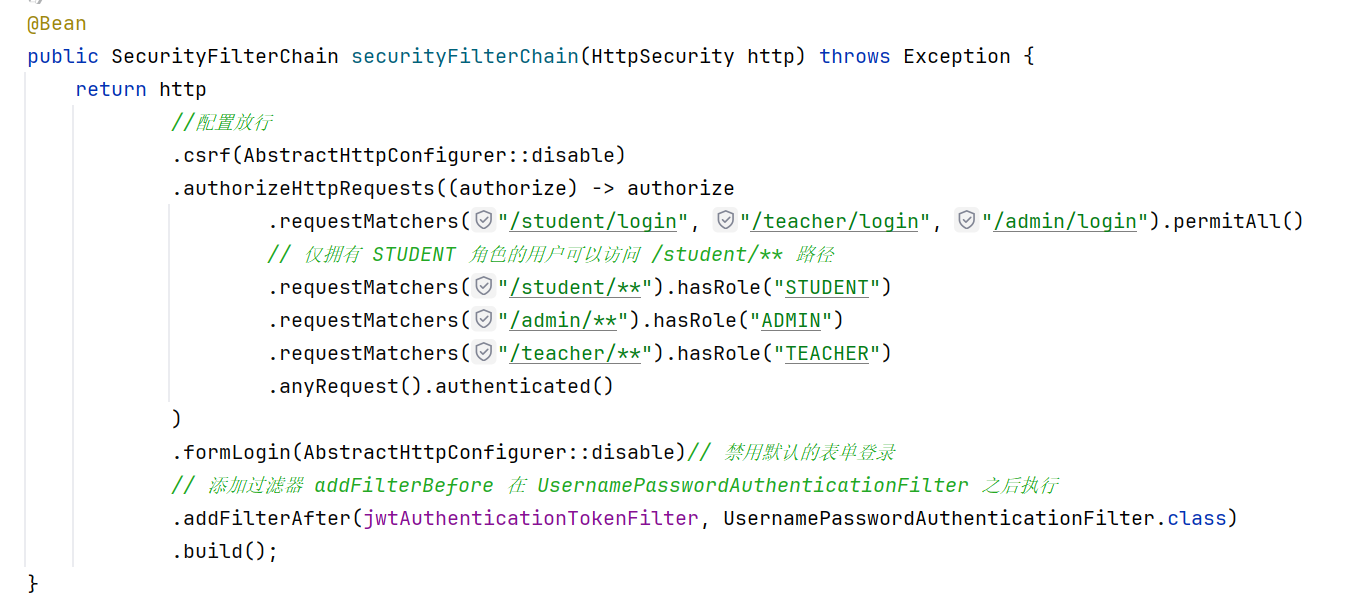
在使用 Spring Security 进行权限控制时,即便已配置放行登录接口,如 /student/login,访问时仍然返回 403 Forbidden 错误。
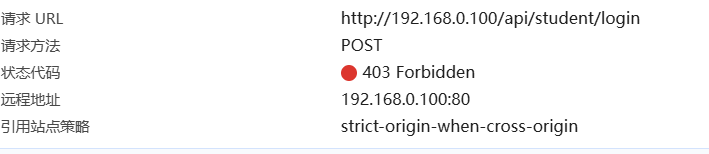
这使得前端无法完成用户登录流程,严重影响开发进度。
二、原因分析
通过排查,最终发现 不是权限配置的问题,而是因为:
- 启动类所在模块未正确扫描到包含
@RestController的模块; - 导致
Controller未被加载进 Spring 容器,自然也无法响应请求; - Spring Security 拦截未识别请求路径,默认返回 403。
此外,还有部分配置性问题:
- 使用 JWT 自定义认证逻辑时,若
filterChain中未正确跳过登录接口,或过滤器顺序不当,也可能导致 Spring Security 仍然尝试身份校验; - IDEA 项目配置错误也会引起模块编译失败或包扫描异常。
三、解决方案
✅ 1. 启动类必须能扫描到所有 Web 层 Controller
建议将启动类(@SpringBootApplication)放在统一的 Web 层模块中,如 gupt-api,并在 pom.xml 中添加所有业务模块依赖:
<dependency>
    <groupId>edu.gupt</groupId>
    <artifactId>gupt-auth</artifactId>
</dependency>
<dependency>
    <groupId>edu.gupt</groupId>
    <artifactId>gupt-user-service</artifactId>
</dependency>
<!-- 其他模块同理 -->
同时,使用 @ComponentScan 明确扫描范围:
@SpringBootApplication(scanBasePackages = "edu.gupt")
public class GuptApiApplication {
    public static void main(String[] args) {
        SpringApplication.run(GuptApiApplication.class, args);
    }
}
✅ 2. JWT 登录请求应跳过身份验证过滤器
在 JwtAuthenticationTokenFilter 中配置白名单,例如:
if ("/student/login".equals(request.getRequestURI())) {
    filterChain.doFilter(request, response);
    return;
}
确保过滤器位置正确(建议放在 UsernamePasswordAuthenticationFilter 之前):
http.addFilterBefore(jwtFilter, UsernamePasswordAuthenticationFilter.class);✅ 3. 禁用 Spring Security 默认登录页面(表单)
如你使用的是前后端分离 + JWT,应该禁用 formLogin(),防止默认跳转 HTML 登录页:
http.formLogin(AbstractHttpConfigurer::disable);四、IDEA 提示 "源根重复" 的原因分析与解决方案
❗ 错误提示
源根 'F:\MyProjects\gupt-management-back-end\gupt-api\src\main\java' 在模块 'gupt-api' 中重复。
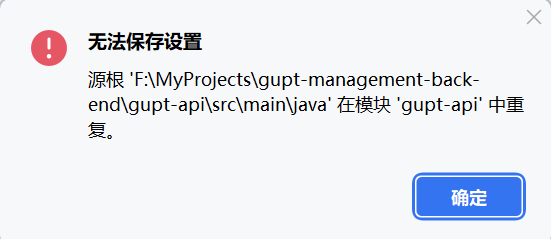
说明 IntelliJ IDEA 误将同一目录多次注册为源根(Source Root),常出现在以下情形:
- 直接以子模块
gupt-api打开; - 同时导入了父项目与子模块;
.idea/和.iml文件未清理干净。
五、正确导入方式(推荐)
✅ 方法一:只导入父项目(根项目)
- 关闭当前项目;
- 删除项目根目录下的
.idea/文件夹和所有.iml文件; - 重新使用 IDEA 打开根项目
gupt-management-back-end; - 使用
pom.xml→Import as Maven project; - IDEA 会自动识别所有子模块,不会有重复源根。
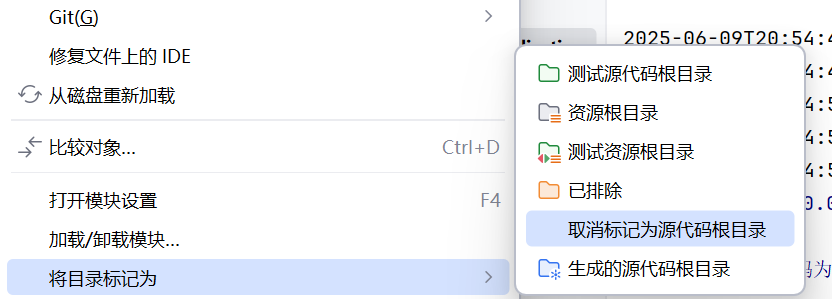
✅ 方法二:一个个取消标记一下也可以,但是很麻烦